
What can a hidden camera detector app actually do?
Updated · Tag Tracker LLC
A hidden camera detector app does not give your phone new hardware. It uses parts your phone already has: the flashlight and camera, the Wi-Fi and Bluetooth radios, and the compass sensor that normally tells your maps which way you face. Each of those can pick up one kind of trace a small camera leaves behind, and each misses others.
That is the honest frame for any hidden camera detector. An app is a structured way to run several quick checks and read the results in plain words. It speeds up a careful search of a room. It does not replace one, and it cannot promise a room is clean. This page explains what each check in Candor does, how to combine them, and where a phone runs out of ability.
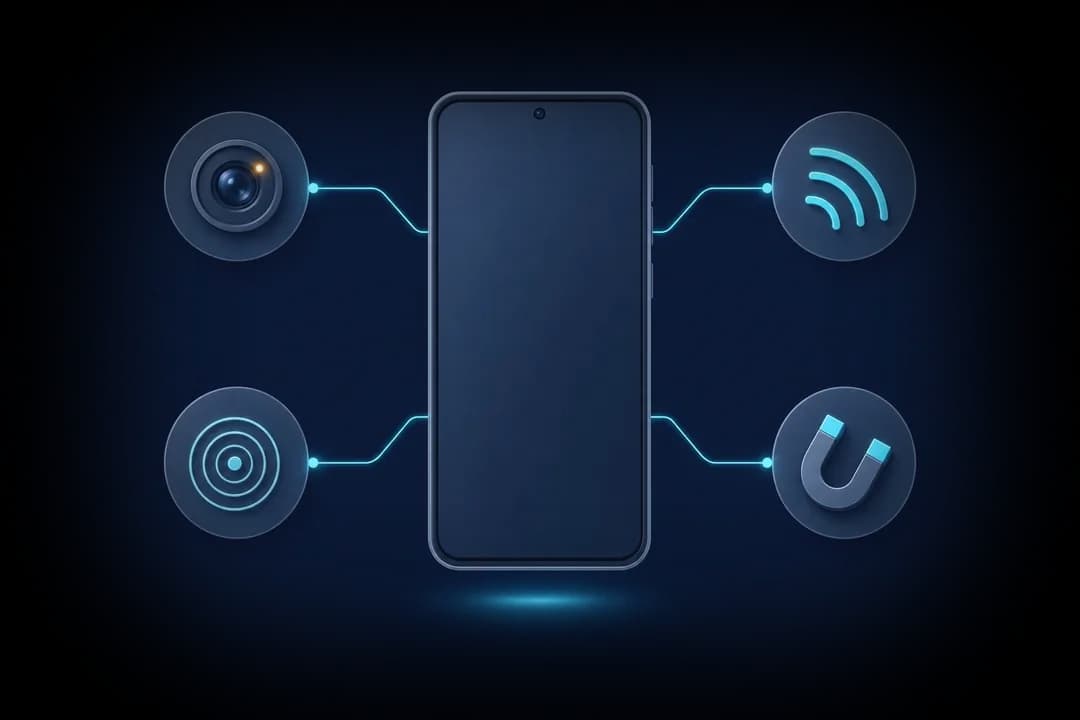
The four checks, in plain terms
Candor, an Android app, groups its work into four checks. Each one answers a different question, so a result from one does not cancel out a blank from another.
- Lens finder: is something looking back at me? The app turns on the flashlight and marks small, sharp, bright reflections in the camera view, because a lens bounces light almost straight back toward its source. A second mode uses the front camera to look for the glow of infrared night-vision LEDs. Glass, screws, status lights and glossy plastic also shine, so every mark needs your own eyes on it.
- Wi-Fi camera scan: is anything on this network offering video? On the Wi-Fi network you have joined, the app sends the discovery requests that many IP cameras answer (ONVIF WS-Discovery and SSDP) and checks devices on the local network for ports used by video streams and recorders (RTSP, RTMP, DVR). A flagged device comes with a short reason such as "Offers a live video stream".
- Bluetooth scan: what small devices are nearby? The app lists nearby Bluetooth Low Energy devices and flags camera-style names, item-tracker advertising formats, and unnamed devices that sit very close. Signal strength gives a rough sense of distance, useful for walking toward a source.
- Magnetic sensor: does this object hold electronics? After you calibrate a baseline for the room, the app shows how the phone's magnetometer reading changes as you move slowly along objects. A jump means metal or electronics are close. It says nothing about whether those electronics are a camera.
Running a full sweep with the app
The order matters more than speed. Start with the checks that cover the whole room from one spot, then narrow down to objects.
First, join the Wi-Fi network for the place you are staying and run the Wi-Fi camera scan. It takes a short while and covers every device on that network at once, including ones behind walls. Note any flagged device and whether you can match it to something you can see, such as a smart TV or a doorbell.
Second, run the Bluetooth scan while standing near the bed and again near the bathroom door. Compare the lists. A device whose signal climbs as you approach a particular shelf is worth a look.
Third, darken the room and use the lens finder on anything with a view of the bed, the shower, the toilet or where you change clothes. Then switch to the infrared mode and repeat. Finally, use the magnetic sensor on objects that should have no electronics inside them, such as a book, a tissue box or a decorative figure. For the physical side of this search, the room sweep guide gives a full order of places to check.
Free scans and Premium
Every scan in Candor runs without a subscription. The lens finder and the magnetic sensor are fully included. The Wi-Fi and Bluetooth scans show you the true number of devices found and the full detail for the top result, so you know whether there is anything to look into. Premium unlocks the detail for every row in those lists. It is offered as a yearly plan with a 3-day trial, or as a weekly plan.
What happens to your data
Scans run on the phone. The camera feed used by the lens finder is not recorded or uploaded, and the app does not need an account. There are no ads. That matters for a tool you may use in a hotel room or a rental where privacy is the whole point.
Where an app stops and other help starts
A phone app is a good first step for a traveler, a renter or anyone who wants a quick, repeatable check. It is weaker in three situations. The first is a camera that never touches a network you can join, such as one that saves to a memory card. The second is an audio-only listening device, which Candor does not look for at all. The third is a determined, well-funded setup, where a professional counter-surveillance sweep with dedicated equipment is the right answer.
A handheld radio-frequency detector sits between those two. It can sense active transmitters that a phone cannot see, but it has its own blind spots. The detector type comparison walks through what each kind of tool catches.
What a phone check cannot find
- A camera that stores video on its own memory card and never goes online leaves no trace for the Wi-Fi or Bluetooth scans; only the lens finder or your eyes can find it.
- The Wi-Fi scan sees only the network your phone has joined. A camera on the owner's private network or on a cellular connection stays hidden from it.
- Candor is not a radio-frequency bug detector and does not find audio-only listening devices.
- A flagged result is a lead, not a verdict. Many ordinary smart home devices answer the same discovery requests or carry similar Bluetooth names.
Frequently asked questions
Do hidden camera detector apps really work?
They work for what phone hardware can sense: lens reflections, infrared light, devices on a shared Wi-Fi network, nearby Bluetooth devices, and magnetic changes near electronics. Any app that claims to sense radio signals from every kind of camera is promising more than a phone can do.
Is there an iPhone version of Candor?
No. Candor is Android only. If you use an iPhone, the phone guide covers manual checks you can run without an app.
Do I need internet access for the scans?
The Wi-Fi camera scan needs you to be joined to the local Wi-Fi network, because that is the network it inspects. The lens finder, Bluetooth scan and magnetic sensor work without a network connection.
What should I do if the app flags something?
Find the physical device, look at it closely, and photograph it. If it points at a private area, cover it if that is safe, and report it to the host, hotel or property manager. Contact local police if you believe you were recorded in a private space.