
How to check an Airbnb or vacation rental for hidden cameras
Updated · Tag Tracker LLC
Finding a hidden camera in an Airbnb is rare, but the worry is reasonable. A rental is someone else's home, full of their chargers, speakers and decor, and you have no idea what was added before you arrived. The same is true of any vacation rental you book through a platform or directly with an owner.
Knowing the rules helps you decide what counts as a problem. Airbnb now bans indoor cameras outright, so any camera you find inside the listing is a policy violation, whether or not the host mentioned it. This guide covers what the policy says, where cameras tend to hide in a furnished rental, and a check you can run on arrival.
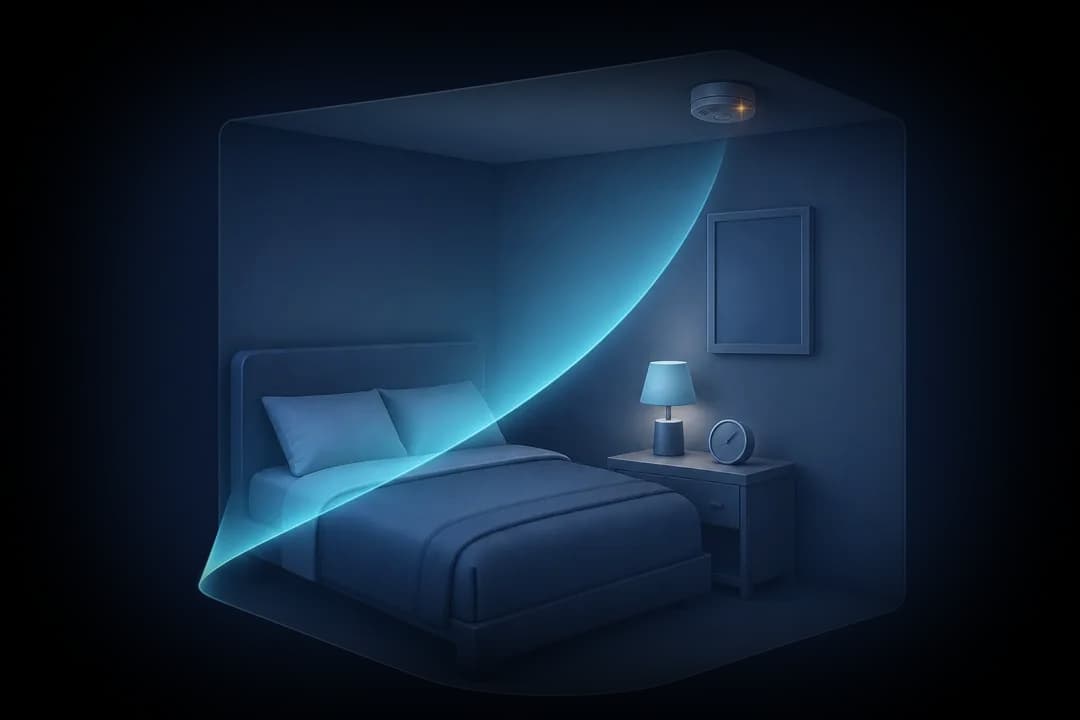
Are Airbnbs allowed to have cameras?
Not inside. On March 11, 2024, Airbnb announced that starting April 30, 2024, security cameras are not allowed inside listings, regardless of their location, purpose or prior disclosure. Before that change, hosts could have some indoor cameras in common areas if they disclosed them. That exception is gone.
Airbnb's current help article on security cameras and other devices spells out the rest of the camera policy. Hosts may not have security cameras or recording devices that monitor indoor spaces, even if the device is turned off. Outdoor cameras are allowed only if the listing discloses each device and its general location, and they may not monitor enclosed outdoor showers or saunas. Doorbell cameras are still allowed.
Noise decibel monitors are a separate category. They measure sound levels without recording audio, and hosts may use them in common spaces if disclosed, but not in bedrooms, bathrooms or sleeping areas. A small disc near the living room ceiling may be one of these rather than a camera, so read the listing before you worry.
Other vacation rental platforms and direct bookings
Rules differ between platforms and change over time, so check the platform's current policy on its own help pages before your stay rather than relying on a summary. If you book directly with an owner, there may be no platform rule at all, and local law is the main protection. In many places, recording people in bedrooms or bathrooms without consent is illegal, but laws vary.
Whatever the platform, save a copy of the listing text and photos when you book. If you later find a device, that record shows what was disclosed.
Where cameras hide in a furnished rental
Hosts furnish rentals with things guests expect to see, so a camera usually takes the shape of an ordinary object facing the bed, the sofa or the bathroom door. Focus on items that have a clear view of where you sleep and change.
- Bedside items: alarm clocks, phone chargers, lamps and small speakers on the nightstand. See the clock guide for what a lens in a clock face looks like.
- Wall and ceiling items: smoke detectors on a wall instead of the ceiling, picture frames, wall hooks and extra motion sensors.
- Plug-in devices: USB chargers, air fresheners and power strips pointed across the room.
- Shelves and decor: books, plants, stuffed toys and tissue boxes placed at a height that frames the bed.
- Entertainment gear: the TV bezel, a set-top box or a streaming stick with a small hole on the front.
How Candor helps in a rental
Candor runs four checks on an Android phone. The Wi-Fi camera scan is especially useful in rentals because most listings give you the Wi-Fi password. Once you join, Candor asks the network for camera discovery replies and open streaming ports, then flags devices with a plain reason such as offering a live video stream. The lens finder marks small, sharp flashlight reflections for you to inspect, and the Bluetooth scan lists nearby devices with camera-style names or tracker advertising formats.
Some hosts run a second router for their own devices. A camera on that network, on mobile data, or recording only to a memory card will not appear in a scan of the guest Wi-Fi, which is why the physical walk-through still matters. Candor is Android only; there is no iPhone version.
If you find a camera in your rental
Do not smash or dismantle it. Photograph the device, where it sits, and what it points at, and screenshot the listing. If you feel unsafe, leave first and deal with the rest from somewhere else. Then report it to the platform through its help center; Airbnb treats undisclosed or indoor cameras as a policy issue. If the device was in a bedroom, bathroom or other private space, contact local police as well.
Check a vacation rental on arrival in about 15 minutes
- Reread the listingBefore you unpack, open the listing and note any disclosed outdoor cameras, doorbell cameras or noise monitors and where they are supposed to be. Anything indoors that records video is not allowed on Airbnb.
- Walk the sleeping and bathing areas firstStand where you will sleep and shower and look at what faces you. List every object with a clear view: clocks, chargers, frames, detectors, speakers.
- Join the guest Wi-Fi and scan itConnect with the password the host gave you and run Candor's Wi-Fi camera scan. Compare flagged devices with what you can see, such as the TV or router. A device that offers a video stream and matches nothing visible deserves a search.
- Darken the bedroom and sweep for lensesClose the blinds, switch off the lights and use the lens finder on each object from your list. Move the phone slowly. A lens holds a tight point of light as the angle shifts.
- Check for night-vision lightStill in the dark, run the infrared check with the front camera toward the bed side of the room. A faint glow from an object that should have no light is worth a closer look.
- Run a Bluetooth scanLook for close devices with camera-style names or item-tracker formats. Walk toward a strong result and see which object it seems to come from.
- Record and report anything you findPhotograph the device and its view, keep the listing screenshots, and contact the platform. Leave if you feel unsafe.
What a phone check cannot find
- A camera connected to a host-only router or a cellular hotspot never appears on the guest network you scanned.
- Cameras that save to an internal memory card send nothing over any network, so only a physical search or the lens finder can catch them.
- The lens finder only sees what faces your phone. A lens tucked high on a bookshelf and angled at the bed may not reflect toward you from the doorway.
- Audio-only recorders are outside what Candor checks, since it is not a radio-frequency bug detector.
Frequently asked questions
Can an Airbnb host have a camera in the living room if they disclose it?
No. Since April 30, 2024, Airbnb does not allow security cameras inside listings regardless of location, purpose or prior disclosure. Disclosed outdoor cameras and doorbell cameras are still allowed.
Is a noise monitor a hidden camera?
Usually not. Airbnb allows decibel monitors that measure sound levels without recording audio in common spaces, if disclosed. They are not allowed in bedrooms, bathrooms or sleeping areas. If you are unsure what a device is, ask the host in the app's messages so there is a written record.
What if the outdoor camera points into a window?
Photograph the view and raise it with the platform. Airbnb requires outdoor cameras to be disclosed and bars them from enclosed outdoor showers and saunas, and a camera that effectively looks inside is a reasonable thing to report.
Should I check the rental even if the reviews are good?
A short check costs little. Reviews reflect what previous guests noticed, and a well-disguised device is exactly the kind of thing they may have missed.