
How to tell whether a clock is hiding a camera
Updated · Tag Tracker LLC
A clock hidden camera comes in two common shapes. The alarm clock sits low on a nightstand or dresser, a few feet from the bed. The wall clock hangs high and looks down over a whole room. Both are objects nobody moves or examines, which is exactly why they are used.
The two types hide the lens in different places and fail in different ways, so it helps to treat them separately. One test works for both, though: a camera clock is built to record first and tell time second, and many of them do the second job badly.
Alarm clock on the nightstand
A digital alarm clock camera almost always hides the lens behind the dark display window. The tinted plastic that makes the red or white numbers readable also hides a small lens sitting to one side of the digits. In daylight you see nothing. With a light shone into the window at a low angle, the lens can show as a small round shape or a sharp glint separate from the digits.
These units plug into the wall, often through a USB cable, and many stream over Wi-Fi. The position matters more than the look. A clock angled toward the bed, rather than toward the pillow where you would read it, is placed for a view.
Wall clock high on a wall
A wall clock camera usually puts the lens at the center of the dial, in or just below the hub where the hands attach, or inside one of the numerals. The hub is a natural dark spot, so a pinhole there is hard to see from the floor.
Wall clock cameras run on batteries more often than alarm clocks do, which limits recording time and makes Wi-Fi streaming less common. Some have a power cable running down the wall, which is odd for a clock that should run for a year on a single AA cell. A wall clock placed facing a bed, a shower door, or a sofa rather than the doorway is worth a look.
Signs a clock is not just a clock
- It shows the wrong time, or the hands do not move at all. The owner cared about the camera, not the clock.
- The alarm buttons do nothing, or the clock has buttons but no alarm function.
- A cable where none is needed, such as a USB cord running to a wall clock.
- A tiny hole or glassy dot in the dial, the hub, a numeral, or the display window next to the digits.
- It faces the bed rather than the person in it. A bedside clock angled at the middle of the mattress is aimed wrong for reading.
- Warmth. A plain battery clock stays cool. A camera clock with a board and radio can feel warm on the back.
Candor checks that fit clocks
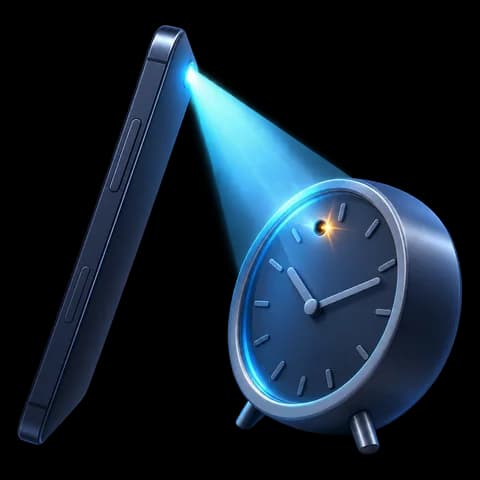
The lens finder is well suited to alarm clocks. Turn off the room lights, and if possible dim the display. Candor uses your flashlight and marks sharp reflected points in the view. Look for a point that sits apart from the digits and stays steady as you move. The display's own glow and glossy plastic can create false marks, so check each one by eye. For a wall clock, stand under it and aim up at the hub.
The Wi-Fi camera scan is most useful on plug-in alarm clocks, which tend to stream. If you join the same network, a camera clock may appear as a device offering a live video stream. The magnetic sensor can help on a wall clock: a plain battery clock has only a tiny motor, so a much larger rise than you expect suggests a bigger board or battery pack. Every digital clock has electronics, so this is less useful for alarm clocks.
Check an alarm clock or wall clock in a few minutes
- Compare the time with your phoneCheck whether the clock shows the right time and whether the hands or digits change. A clock that is far off or stopped is a warning sign.
- Note where it pointsStand behind the clock and look where its face is aimed. Pay attention if it looks straight at the bed, bath or sofa.
- Dark room, lens finderTurn off the lights, open Candor's lens finder, and sweep an alarm clock's display window from a low angle, or a wall clock's hub from below.
- Look at every mark by eyeWalk up to any marked spot. A lens looks like a small round dark shape with a sharp glint, separate from the digits or hands.
- Scan Wi-Fi for a plug-in clockOn the room's Wi-Fi, run the Wi-Fi camera scan and see whether any device is flagged for a video stream.
- Turn it away and reportIf it looks wrong, photograph it, unplug it or turn it to face the wall, and report it to the host or hotel.
What a phone check cannot find
- A battery wall clock that records to a memory card is invisible to Wi-Fi and Bluetooth scans; only a visual and lens check will find it.
- An alarm clock display can glow and reflect, which can hide a lens or create false marks in the lens finder.
- A wall clock high above you may be out of a clear line of sight from where you can stand.
Frequently asked questions
Can a clock camera see in the dark?
Some can, using infrared LEDs behind the display window or dial. Candor's front-camera infrared check can sometimes show that light when the room is dark. See the infrared camera detector guide.
Is it normal for a hotel alarm clock to have a USB port?
Yes. Many bedside clocks include charging ports. A port alone is not a warning sign; a lens, a wrong time, or odd placement is more telling.
What if the clock is the host's own smart display?
Smart displays often have a real camera with a shutter or privacy switch. Ask the host about it, and close the shutter or unplug it if the listing allows.