
How to tell if a smoke detector is a hidden camera
Updated · Tag Tracker LLC
A smoke detector is one of the most common hiding places for a camera because nobody questions it. It sits high, it faces the whole room, and it has a natural reason to be wired to power. Camera versions are sold openly and look almost the same as the real thing from the floor.
The good news is that a disguised detector has to compromise somewhere. It needs a clear view through a small hole, it is usually placed where it can see a bed or a shower rather than where fire codes put detectors, and many models stream over Wi-Fi. This guide shows you where to look and how to check one without taking down a real safety device.
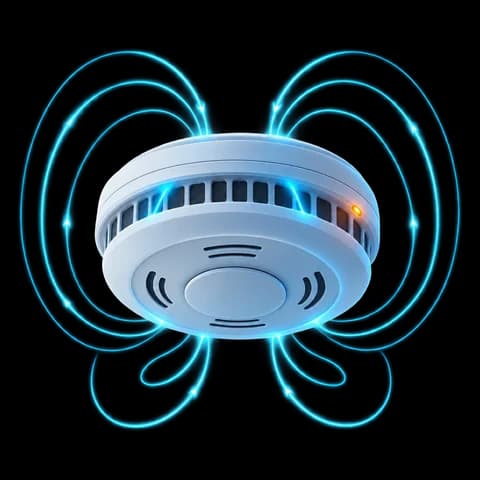
Where the lens usually sits
Most smoke detector cameras put a pinhole lens on the flat face of the unit, often in the center or just off center where a real detector has its test button or status light. Others hide it inside one of the side vent slots, angled downward. The hole is typically 1 to 3 mm across and may look like a slightly darker or glossier dot than the plastic around it.
Some models tuck an infrared light ring behind the same face so the camera can see in the dark. You will not see that light with your eyes, but a phone's front camera often can.
Signs that a detector deserves a closer look
- A second detector in a small room. One per sleeping room is normal. Two in the same bedroom, or one in a room that already has a hardwired unit, is unusual.
- Wall mounting at an odd angle. Real detectors go on the ceiling or high on the wall. A unit tilted toward a bed, a toilet or a shower is placed for a view, not for smoke.
- A hole that does not match the vent pattern. Real detectors have repeating slots. A single round hole with a glassy center is a red flag.
- No label, date or listing mark on the back. Genuine detectors carry a manufacture date and a safety listing. Many camera versions do not.
- A test button that does nothing. Pressing test on a real detector makes a loud beep. A camera unit often stays silent.
- A USB cable or a fresh power line. Battery detectors do not need a cable, and a camera needs more power than a detector does.
Which Candor check fits a smoke detector
The lens finder is the most useful check here. Candor turns on your flashlight and marks small, sharp reflections in the camera view. A lens behind a pinhole reflects light almost straight back, so it shows up as a tiny bright point that stays put as you move a little. Metal screws and the plastic dome of a real detector can also glint, so treat a mark as a reason to look closer, not as proof.
The Wi-Fi camera scan helps if you are on the same network as the device. Many detector cameras stream over Wi-Fi so the owner can watch remotely. If you join the rental's Wi-Fi, Candor lists devices that offer a video stream or answer camera discovery requests. A camera on a separate network, or one that only records to a memory card, will not appear.
The magnetic sensor is of limited use on detectors, and it is worth saying why. Every real smoke detector already has a circuit board and a buzzer, so it will raise the reading too. A spike tells you there are electronics inside, which you already knew. It is more useful on objects that should have none.
If you think you found one
Do not pull a detector off the ceiling or disable it. If it is a real detector, you have removed fire protection; if it is a camera, you may have damaged evidence. Cover it with tape or a cloth, take photos of it and its position, and contact the host, the hotel front desk or the platform. If you believe you were recorded in a private space, contact local police. See the Airbnb and vacation rental guide for how the platform's own rules treat indoor cameras.
Step-by-step: check a smoke detector in about five minutes
- Count the detectorsLook at every ceiling and high wall in the room. Note any detector that is on a wall facing the bed, bath or shower, or any room that has more than one.
- Dim the roomClose the curtains and switch off the lights. Lens reflections are much easier to see against a dark background.
- Run the lens finder from belowOpen the lens finder in Candor and point the phone at the detector from about one to two meters away. Move slowly in a small arc. A true lens stays a steady, sharp point of light as the angle changes; a scratch or dome highlight tends to smear or vanish.
- Check for infrared lightWith the room dark, use the infrared check with the front camera pointed at the detector. A faint purple or white glow from the face of the unit suggests infrared LEDs that a real detector does not need.
- Press the test button if you can reach it safelyA real detector gives a loud alarm tone. Silence, or a button that does not move, is another reason for suspicion.
- Scan the Wi-Fi networkJoin the room's Wi-Fi and run the Wi-Fi camera scan. Look for a device flagged for offering a live video stream, then compare it with devices you can account for, such as the TV or router.
- Cover it and report itIf the signs add up, cover the unit rather than removing it, photograph it, and report it to the host, hotel or platform.
What a phone check cannot find
- A detector camera that records only to a memory card does not appear in any Wi-Fi or Bluetooth scan.
- If the camera is on a different network, such as a hidden second router or a mobile data connection, the Wi-Fi scan on the guest network will not see it.
- The lens finder needs a line of sight to the lens. A lens angled away from where you stand, or behind tinted plastic, may not reflect enough light to stand out.
- The magnetic sensor cannot tell a camera board from a normal detector circuit.
Frequently asked questions
Can a real smoke detector have a camera in it legally?
Rules depend on where you are and what the space is. Recording in bathrooms and bedrooms is illegal in many places, and short-term rental platforms such as Airbnb ban indoor cameras entirely. If you are unsure, ask the host or property manager in writing.
Does a blinking light mean a smoke detector is recording?
Not by itself. Real detectors blink a small LED every 30 to 60 seconds to show they have power. A light that is covered with tape, or a unit with no light at all, is more unusual than one that blinks.
Can I check a smoke detector without an app?
Yes. A bright flashlight, a dark room and patience will show many lenses as a small reflected dot. An app helps by marking candidate reflections and by scanning Wi-Fi and Bluetooth, which a flashlight cannot do.
What about carbon monoxide detectors?
The same checks apply. Camera versions of carbon monoxide detectors exist and are often plugged into a wall outlet near floor level, so check them from a lower angle as well. The wall outlet guide covers plug-in devices.