
Is there a hidden camera in your hotel room? A practical check
Updated · Tag Tracker LLC
Hotel rooms change hands every day. Housekeeping, maintenance staff and hundreds of previous guests pass through, which means a hidden camera in a hotel room could be placed by almost anyone with a few minutes alone in it. Cases are uncommon, but the furniture layout is predictable, and that makes a focused check quick.
Most hotel rooms contain the same short list of objects: a TV unit, a desk lamp, a clock radio, a smoke detector and a bathroom with a vanity and fan. Checking each of those with a light and a little patience covers the places a camera could see the bed or shower.
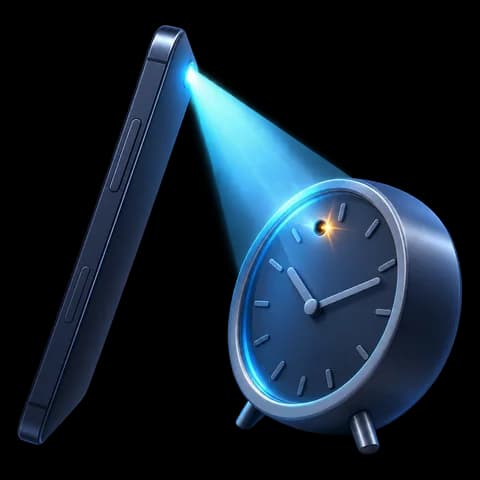
The hotel room hot spots
- TV and its cabinet. The TV faces the bed by design. Look at the bezel, the set-top box, and any small hole in the cabinet or shelf below it.
- Clock radio or charging dock. A bedside clock has a view of the pillow. A pinhole in the display window or speaker grille is a common disguise; the clock guide goes into detail.
- Desk lamp and floor lamp. Lamp bases and the hub where the shade meets the stem can hold a lens.
- Smoke detector and sprinkler area. Hotels usually have one ceiling detector. A second unit, or one mounted on a wall facing the bed, stands out.
- Bathroom fixtures. Check the exhaust fan grille, the hook on the back of the door, the hair dryer holder and anything on the counter facing the shower or toilet.
- Door peephole. A reversed or loose peephole can let someone look in from the corridor. Cover it with a piece of tape or a sticky note from the desk.
What hotel Wi-Fi can and cannot tell you
Hotel guest Wi-Fi is a shared network with many devices on it: other guests' phones and laptops, smart TVs in every room, and staff equipment. Many hotels also turn on client isolation, which stops devices on the guest network from seeing each other. That protects you from other guests, but it also means a camera on the same network may not answer a discovery request at all.
So a scan that finds nothing on hotel Wi-Fi is weak evidence. A scan that finds something is more useful: if Candor's Wi-Fi camera scan flags a device offering a live video stream, note its details and look for a matching object. Expect noise, too, because a hotel network can show dozens of TVs and streaming boxes from other rooms.
A camera planted by a person is also more likely to use its own hotspot or a memory card than the hotel network. The physical check does more work here than it would in a home.
Which Candor checks fit a hotel room
The lens finder does most of the work. Hotel rooms have blackout curtains, which makes it easy to get the dark background that lens reflections need. The front-camera infrared check helps spot night-vision LEDs aimed at the bed.
The Bluetooth scan lists nearby devices, but in a hotel you will pick up the neighbors' earbuds and watches through the walls. Signal strength gives a rough distance, so focus on strong results that seem to come from inside your room. The magnetic sensor is handy on objects that should contain no electronics, such as a decorative box or a hook, but a TV cabinet full of wiring will read high regardless. Candor runs on Android only.
What to say at the front desk
If you find something, leave it in place and take photos from a few angles, including what it points at. Go to the front desk in person or call and ask for the manager on duty. Say plainly what you found, where it is, and that you want the room secured and a different room. Ask for the incident to be written down and for a copy or a reference number.
If the device was in the bathroom or aimed at the bed, you can also contact local police. Staff should not remove the device before police see it, so ask them not to. If you booked through a travel site, report it there as well.
Check a hotel room in about 10 minutes
- Cover the peephole and close the curtainsPut tape or a sticky note over the peephole, then pull the blackout curtains shut. You now have privacy and a dark room for the light checks.
- Stand at the bed and look outwardFrom the pillow end, note every object that faces you: TV unit, clock, lamps, detectors, artwork. Do the same from inside the shower.
- Sweep the bed-facing objects for lensesTurn off the room lights and use the lens finder on each noted object at arm's length. Pay extra attention to the TV cabinet and the clock. A lens stays a sharp dot as you shift the phone.
- Repeat in the bathroomCheck the fan grille, door hook, counter items and any fixture facing the shower or toilet the same way.
- Look for infrared glowIn the dark, point the front camera at the bed-facing wall and the bathroom ceiling with the infrared check. A glow from a clock or a detector is a reason to look closer.
- Scan Wi-Fi and Bluetooth, then weigh the resultsRun both scans. Treat a flagged video stream or a strong unnamed Bluetooth device as a lead. Treat an empty Wi-Fi result as inconclusive on hotel networks.
- Report and change rooms if neededIf something checks out as a camera, photograph it and go to the front desk as described above.
What a phone check cannot find
- Client isolation on hotel Wi-Fi can hide a camera that sits on the very same network you joined.
- A camera running on its own cellular hotspot, or storing footage to a card, gives the guest network nothing to find.
- Bluetooth results bleed through hotel walls, so a strong signal can belong to the room next door.
- The lens finder works only on lenses that face the phone; a camera inside a closed wardrobe or behind a mirror may need a different approach.
Frequently asked questions
Do hotels put cameras in rooms?
Hotels commonly have cameras in lobbies, corridors and parking areas, which is normal. Cameras in guest rooms are a different matter, and recording guests in rooms or bathrooms is illegal in many places. A camera you find in your room should be reported.
Is the TV watching me?
Most hotel TVs do not have a camera. If yours has a small lens on the top bezel, cover it with tape. The TV guide covers what to look for.
Can I check a hotel room with an iPhone?
Candor is Android only. With an iPhone you can still do the flashlight sweep, check for infrared light with the front camera, and inspect the hot spots listed above by hand.
Should I unplug the clock radio?
Unplugging a clock or lamp is fine if you can reach the outlet safely. Do not disable the smoke detector or sprinkler; cover or report instead.